Wood Identifier by Picture
Take a picture of wood, grain, bark, or a tree and Wudora helps identify the likely wood type or species clues in seconds. Use AI wood identification for quick guidance, then review grain, color, texture, and project details before your next step.
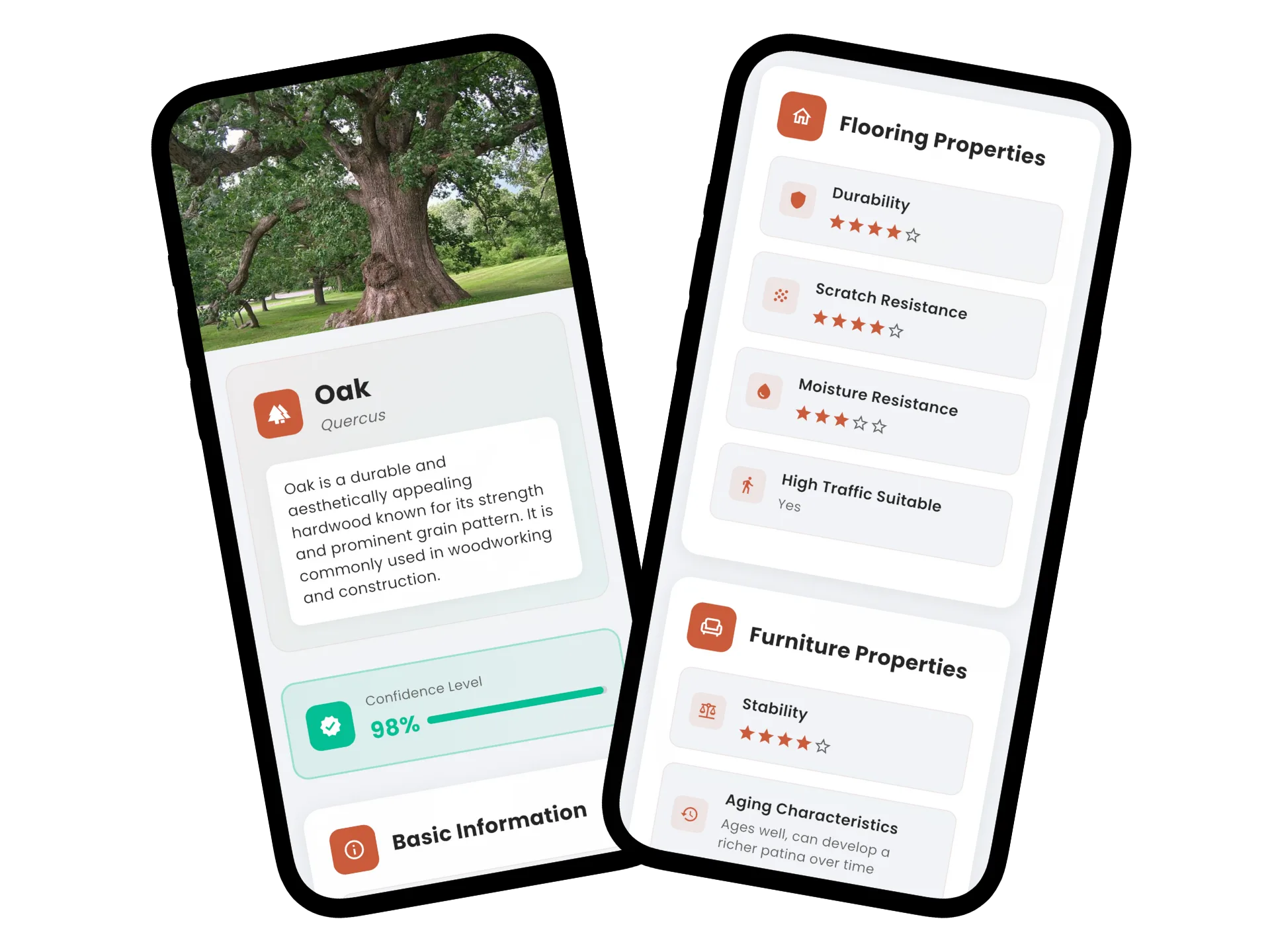
Choose a wood identification method for your question
Start with the object and the evidence you can see. A photo suggestion, a reference comparison and an examination of the specimen answer different parts of the question.
Have one wood photo?
Use the online wood identifier for an initial species suggestion. Choose a sharp grain view or an already exposed end. The web tool accepts one photo per scan; keep other views and measurements in your own notes.
Want to understand the clues?
Use the grain and end-grain guide to compare pore arrangement and rays. InsideWood provides anatomical reference descriptions and images; compare equivalent views and record differences as well as matches.
Need a result you can rely on?
A species label does not establish age, structural performance or an exact match for a repair. When those decisions matter, bring the specimen, provenance and photographs to a qualified wood specialist.
Read the result as a candidate to check
If a result suggests oak, compare an exposed end and visible rays with the oak identification guide. If the photograph hides those details, keep the species unresolved. This is an illustrative verification workflow, not a measured accuracy test or an authenticated scan.
For a finished object, start with the furniture wood identifier. If the question is solid wood versus a layered panel, use the construction checklist. You can also explore the Wudora app in the download section below.
Everything you need for wood identification
Wudora helps woodworkers, homeowners, and nature enthusiasts identify wood by picture, compare visual clues, and learn practical next checks.
Instant Identification
Quick and accurate analysis
Take a photo or upload an image to identify wood types quickly. The app analyzes visible characteristics like grain, color, bark, and texture.
Detailed Wood Info
Comprehensive species profiles
Learn about species, durability, common uses, and more. Get expert-level details about each tree and wood type you identify.
Best Wood for Your Project
Expert recommendations
Get expert recommendations for woodworking, furniture, and flooring projects. Find the perfect wood type for your specific needs.
Tree and Timber Clues
Discover local species
Find out what's growing in your backyard or local park. Explore tree habitats, conservation status, and ecological impact.
Identify Wood by Picture in Four Simple Steps
The wood identifier workflow turns a photo into practical clues you can review, save, and compare.
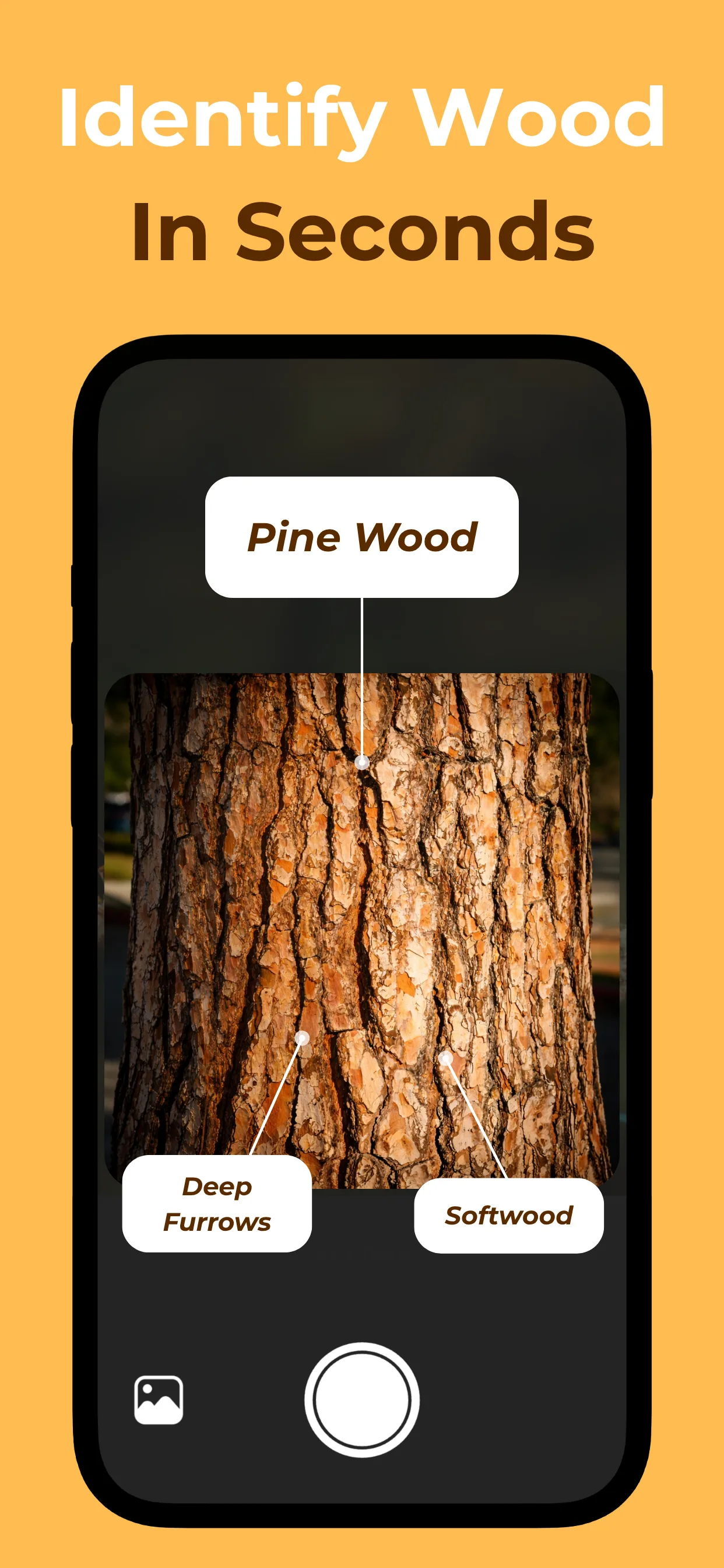
1. Identify Wood In Seconds
Snap a photo of any wood or tree and get an instant AI-powered identification with species name and confidence score.
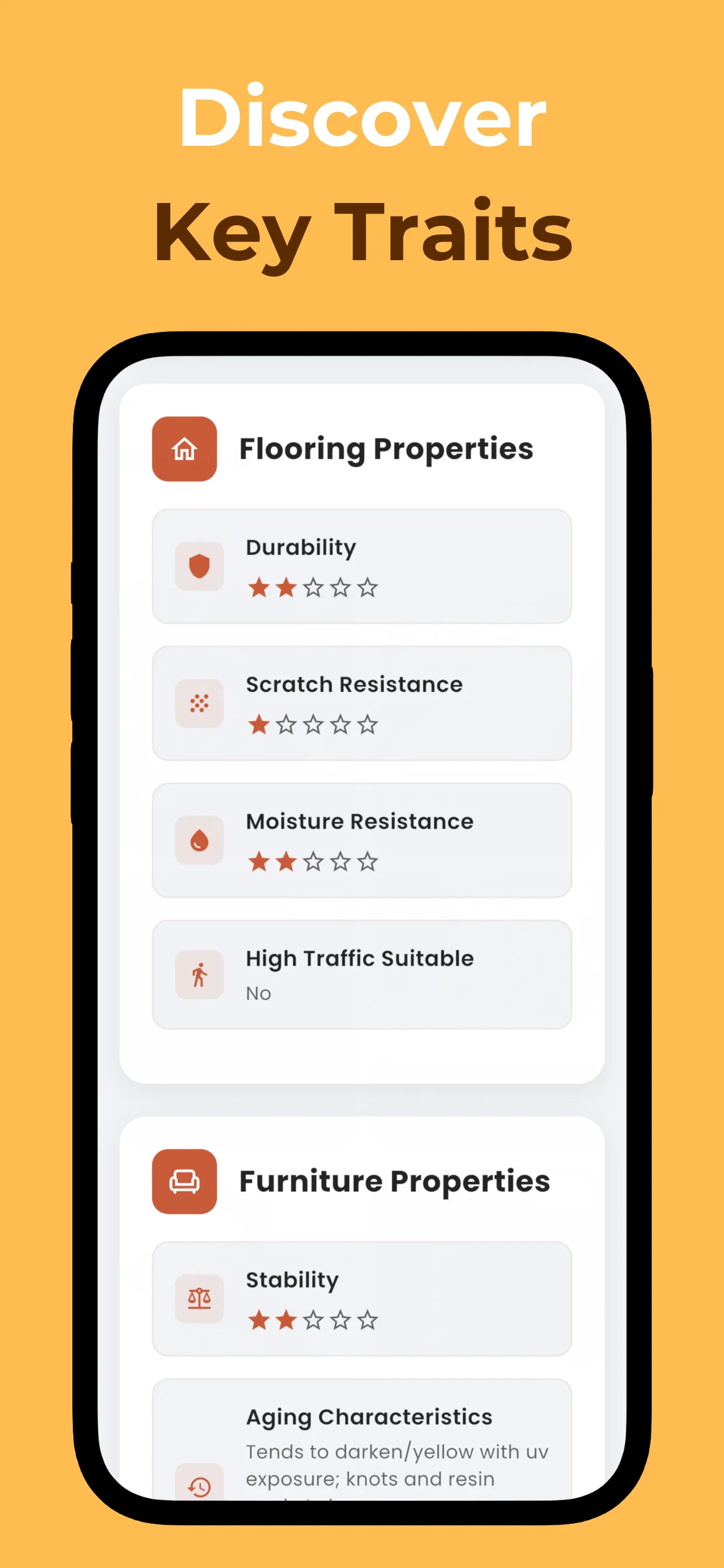
2. Discover Key Traits
Explore detailed traits like grain pattern, hardness, durability, common uses, and expert woodworking recommendations.
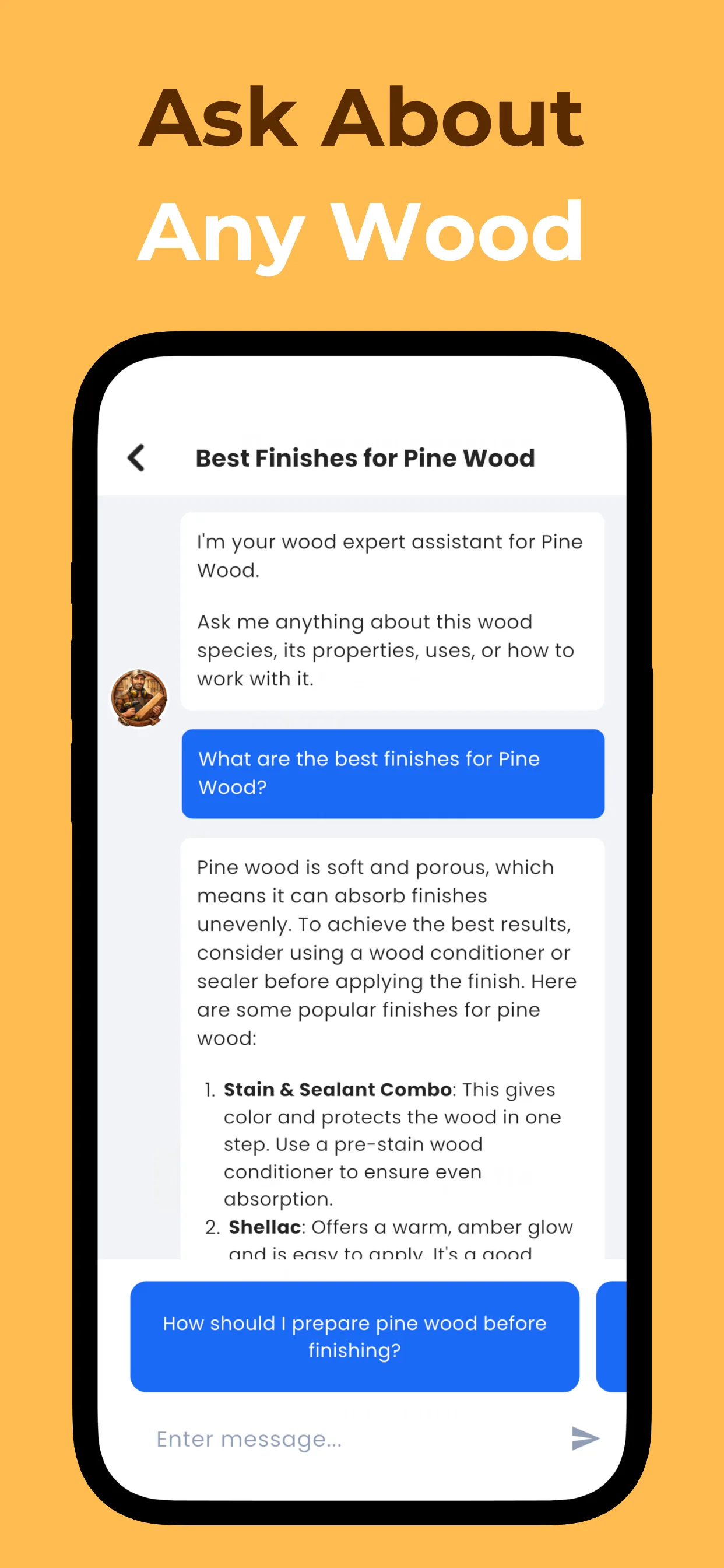
3. Chat to Ask About Any Wood
Have questions? Chat with our AI wood expert to learn more about any species, get project advice, or compare different woods.
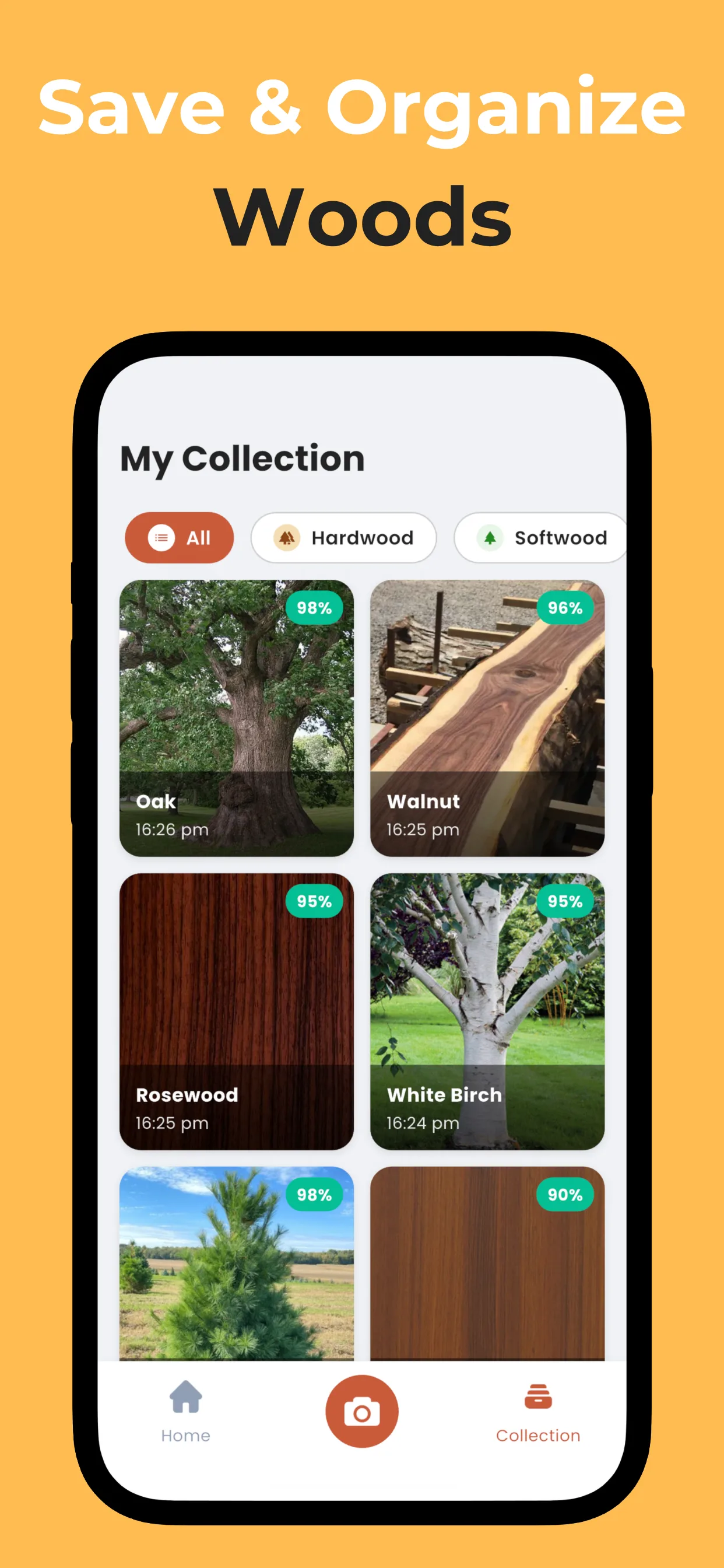
4. Save & Organize Woods
Save your identifications and build a personal timber library. Organize your wood collection with notes, photos, and insights for future projects.
Accurate Identification
Advanced AI technology for precise tree and wood species recognition
Expert Knowledge
Comprehensive tree and wood guides and forestry insights
Premium Features
Unlock advanced features for serious woodworkers and forestry professionals
Trusted by Woodworkers and Nature Enthusiasts
See what our users are saying about their experience with Wood Identifier - Wudora.
Harper Lang
Forestry Professional
"The accuracy of tree and wood identification is impressive. As a forestry professional, I use it daily to verify species and access detailed information about tree characteristics and wood properties. It's particularly helpful with rare species and unusual specimens."
Elliot Stone
Experienced Woodworker
"I've discovered so many interesting wood species using this app. The detailed information about each species' durability, common uses, and woodworking recommendations is invaluable. The expert articles have also improved my woodworking knowledge significantly!"
Camille Brooks
Nature Enthusiast
"This app has transformed how I explore the natural world. Quick identification, accurate analysis, and comprehensive species details help me learn about trees safely and build my knowledge of the fascinating world of wood and forestry."
Frequently asked questions
Everything you need to know about wood identification, photos, and practical next checks.
Can I take a picture of wood to identify it?
Yes. Take a clear photo of wood grain, bark, a cut end, furniture, flooring, or a tree, and the app analyzes visible clues to suggest likely wood types or species. Use the result as a starting point, then compare grain, color, texture, and context before making project decisions.
How accurate is the wood identification?
Wudora uses AI wood identification to compare visible details such as grain pattern, color, texture, bark, and leaf clues when available. Common woods with clear photos are usually easier to narrow down. Rare, stained, painted, or heavily processed pieces may need extra checks or multiple photos.
What types of trees and wood can the app identify?
Wudora can suggest possible wood or tree matches from visible clues in a photo. For cut wood, include grain and an already exposed end when available; for a tree, include bark, leaves and overall form. Stain, paint, veneers and missing context can prevent a reliable species-level match.
How do I take the best photo for wood identification?
Use good lighting and keep the surface in focus. For lumber, furniture, or flooring, capture the grain, color, texture, and a cut end if visible. For trees, add bark, leaves, and overall shape. Multiple photos from different angles can help when the first image is ambiguous.
How does the subscription work?
Subscriptions are billed weekly or annually at the rate selected in your subscription plan. The subscription automatically renews unless auto-renew is turned off at least 24-hours before the end of the current period. You can manage your subscription through your device's app store settings.
What features are included in the Premium subscription?
Premium subscribers get unlimited access to special app features, including unlimited tree and wood identifications, detailed species information, comprehensive identification guides, woodworking recommendations, expert articles, and a no-ads experience. Annual Premium members also receive priority identification, advanced collection tools, and early access to new features.
Can I track my identified trees and wood?
Yes! The app maintains a comprehensive identification history, giving you convenient access to your personalized list of identified trees and wood anytime. This feature helps you build and manage your collection while keeping track of all your discoveries and learning about different species you encounter.
How is my data and privacy protected?
We take your privacy seriously. Photos you upload are used only for identification purposes and to improve our AI system. Your personal information and collection data are protected and never shared with third parties without your consent. For more details, please refer to our Privacy Policy.
Can the app help with woodworking projects?
Absolutely! Our app provides expert recommendations for woodworking, furniture, and flooring projects. You can learn about wood durability, common uses, and get suggestions for the best wood type for your specific project needs. Whether you're building furniture, working on home improvement projects, or creating art, our app helps you make informed choices about wood selection.
Start your wood identification journey today
Join woodworkers, homeowners, nature enthusiasts, and forestry professionals who use Wudora to identify wood by picture and understand the details behind each result.

Download the app with premium features available
Latest guides
Fresh identification guides from our editorial team.
Guides
Wood Rays: Flecks, Medullary Rays, and Quarter-Sawn Clues
Compare wood rays on end grain, radial faces and tangential faces. Learn why the cut changes their appearance and which views help distinguish anatomical rays from surface marks.
9 min readGuides
Plywood vs Solid Wood: Edges, Layers, Grain, and Weight
This guide walks through the visible clues, photo angles, and lookalike traps that matter for plywood vs solid wood — and where a photo alone falls short.
8 min readGuides
Maple Wood Grain: Color, Figure, Pores, and Hardness Clues
A practical look at maple wood grain: which details to photograph, how to weigh conflicting clues, and when to verify beyond the picture.
9 min read